Cart
Cart


 POPULAR CATEGORY


| SERVICE | DELIVERY PRICE | DELIVERY TIME |
|---|---|---|
| Standard Delivery | £19.95 | 7 to 10 working days |
| SERVICE | DELIVERY PRICE | DELIVERY TIME |
|---|---|---|
| Standard Delivery | £19.95 | 7 to 10 working days |
| SERVICE | DELIVERY PRICE | DELIVERY TIME |
|---|---|---|
| Standard Delivery | FREE | 1 to 2 working days |
| Next Day | £16.99 |
| SERVICE | DELIVERY PRICE | DELIVERY TIME |
|---|---|---|
| Standard Delivery | £19.95 | 5 to 7 working days |
| SERVICE | DELIVERY PRICE | DELIVERY TIME |
|---|---|---|
| Standard Delivery | £19.95 | 7 to 10 working days |
Product Number: GO2115
Additional Information
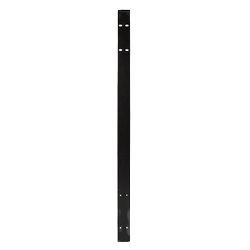
Docking station for GO2100PRO
About PartsForMachines:
PartsForMachines is a premier e-commerce platform, founded in 2019 in Warwickshire, UK, specializing in aftermarket parts and services for construction, agriculture, and industrial machinery. We offer an extensive catalog of over 500,000 products. Standard delivery: 1–3 working days within UK mainland. We are proud to be an authorised distributor, giving customers extra confidence when purchasing genuine products from us. In addition, we provide a 30-day return policy for eligible items.
| Engine Parts | Product Number | Product Name | Recommended Units | Product Price |
|---|
 Standard Delivery: UK Mainland Free
 Next Day Delivery Available
 Delivery Estimate: 1 to 2 working days
 Save Extra With 1 Offer
 Compare With Similar Items
Compare with Similar products
|
||
| Technical Specification | ||
|---|---|---|
| PRODUCT NUMBER | 33198 | 39243 |
| Type | Spare Part | Spare Part |
A. It is a docking station designed for the GO2100PRO Spectrum diagnostic device, providing convenient storage and charging.
A. It keeps the device ready and in a consistent location, making it easier to grab and return between jobs.
A. It should be placed there whenever not in use, so it can charge and remain protected.
A. Correct alignment avoids stress on charging or data connectors, reducing wear and risk of intermittent connections.
A. It gives the diagnostic tool a clear home, reducing misplacement and clutter on benches.
A. Verify the station’s power supply, inspect contacts for dirt or damage and ensure the tool is fully seated.
A. Place it on a stable surface or mount it securely near diagnostic bays, with easy access to power.
A. Tidy cables reduce trip hazards and minimise strain on connectors when docking or removal occurs.
A. Frequent top-ups keep the internal battery charged, preventing downtime due to low power.
A. Occasionally wipe the contacts and surrounding area, keeping dust and grime from interfering with electrical contact."
By sharing your email, you agree to our privacy policy & terms of service
 Question about this product? Click here